
By the end of this chapter, you will be able to:
These skills will help you design and manage networks that keep businesses connected and running smoothly.
Computer networks comprise various interconnected devices and media that facilitate data transmission and resource sharing. Each component plays a specific role in ensuring communication efficiency, security, and reliability. In Kenyan cybersecurity practice, appreciating the function and interrelation of these components helps professionals implement protective controls and optimize network performance, especially in sensitive environments like county government offices and banking institutions.
Network Interface Cards, commonly called NICs, are hardware components that enable a computer or device to connect to a network. They serve as the physical interface between the device and the network medium, whether wired or wireless.
Network media refers to the physical pathways through which data travels between network devices. The choice of media affects speed, security, and distance limitations.
Twisted Pair Cables: Widely used in office environments such as county government offices, these cables offer reasonable speeds and are cost-effective but susceptible to electromagnetic interference.
Coaxial Cables: Less common today but still found in some older Kenyan institutions, coaxial cables provide better shielding against interference than twisted pair.
Fiber Optic Cables: Preferred for high-speed and long-distance communication, fiber optics are increasingly deployed in Kenyan banks to secure sensitive transactions due to their immunity to electromagnetic interference and difficulty to tap.
Wireless Media: Includes Wi-Fi and cellular networks, offering mobility and convenience but requiring robust encryption protocols to prevent unauthorized access in places like hotels and retail businesses.
Networking devices facilitate the routing, switching, and management of data traffic within and between networks. Each device serves specialized functions to maintain network integrity and security.
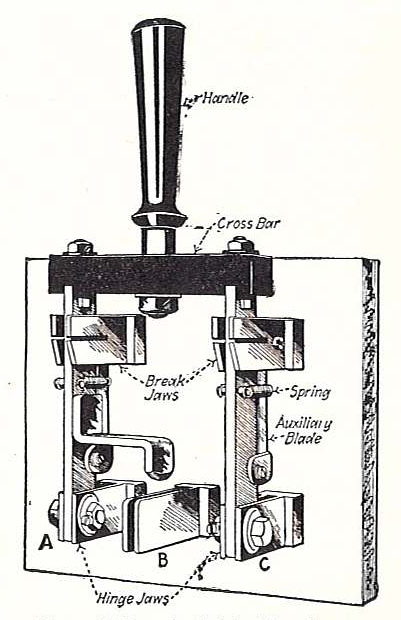
Diagram of a manual electrical switch (Source: Wikimedia Commons)
Network protocols are standardized rules that govern how data is transmitted and received across networks. They ensure interoperability and reliable communication among diverse devices.
Create a free account to open more of this chapter.
Free: practical guides, quick cards, workplace scenarios and more.
Create a free accountThis chapter explored the essential components of a computer network, including devices such as routers, switches, and network interface cards that enable communication between connected systems. It examined various network types, distinguishing between local area networks, wide area networks, metropolitan area networks, and others based on their geographic scope and purpose. The discussion then turned to transmission media, highlighting the differences between wired and wireless methods used to transfer data across networks. Network topologies were analyzed to understand how devices are arranged and connected, with an emphasis on configurations like star, bus, ring, and mesh. Finally, the chapter covered network standards that ensure interoperability and compatibility among devices and technologies, facilitating seamless communication within and across networks. Together, these topics provide a comprehensive foundation for understanding how computer networks are structured, operate, and maintain effective data transmission.
Type: Individual
| Tools & Equipment | Materials |
|---|---|
| Cable crimping tool | Router |
| Cable stripper | Switch |
| Network cable tester | RJ45 Ethernet cables Cat5e |
| Laptop or PC with command prompt access | Computers |
| Printer |
| S/N | Item | Quantity |
|---|---|---|
| 1 | Router | 1 Pc per Candidate |
| 2 | Switch | 1 Pc per Candidate |
| 3 | RJ45 Ethernet cables Cat5e | 5 Pcs per Candidate |
| 4 | Computers | 3 Pcs per Candidate |
| 5 | Printer | 1 Pc per Candidate |
| 6 | Cable crimping tool | 1 Pc per Candidate |
| 7 | Cable stripper | 1 Pc per Candidate |
| 8 | Network cable tester | 1 Pc per Candidate |
| 9 | Laptop or PC with command prompt access | 1 Pc per Candidate |
| Items to be Evaluated | Marks Available | Marks Obtained | Comments |
|---|---|---|---|
| TASK 1: Assemble network components | |||
| Wore appropriate PPE before starting (Award 1 mark for correct PPE use or zero) | 1 | ||
| Identified and selected the router, switch, computers and printer (Award 1 mark each for correct identification and selection) | 2 | ||
| Connected the Ethernet cables from each computer to the switch (Award 1 mark per correctly connected computer cable, max 3 marks) | 3 | ||
| Connected the printer to the switch using an Ethernet cable (Award 1 mark for correct printer connection or zero) | 1 | ||
| Connected the switch to the router using an Ethernet cable (Award 1 mark for correct switch-router connection or zero) | 1 | ||
| Prepared and terminated one Ethernet cable using correct color coding and crimping (Award 2 marks for correct cable preparation and termination or zero) | 2 | ||
| Tested all cable connections using a network cable tester (Award 2 marks for successful testing or zero) | 2 | ||
| Configured IP addresses on two computers and the switch as per the given scheme (Award 2 marks for correct switch IP 192.168.1.1 and 3 marks for correct IPs on two computers 192.168.1.2 and 192.168.1.3) | 5 | ||
| Tested connectivity by successfully pinging the router from a computer (Award 3 marks for successful ping test or zero) | 3 | ||
| Sub-Total | 20 | ||
| PRODUCT CHECKLIST | |||
| Network assembled in star topology with all devices correctly connected and cables not exceeding 3 meters (Award 5 marks for correct topology and neat cable lengths or zero) | 5 | ||
| Sub-Total | 5 | ||
| GRAND TOTAL | 25 | ||
Type: Individual
| Tools & Equipment | Materials |
|---|---|
| Crimping tool | UTP Ethernet cable CAT5e |
| Cable stripper | RJ45 connectors |
| Laptop or PC for configuration | Ethernet switch 8 ports |
| Desktop computers | |
| Network printer | |
| Power supply for switch and devices |
| S/N | Item | Quantity |
|---|---|---|
| 1 | Unshielded Twisted Pair (UTP) Ethernet cable CAT5e | 10 meters per Candidate |
| 2 | RJ45 connectors | 10 Pcs per Candidate |
| 3 | Ethernet switch 8 ports | 1 Pc per Candidate |
| 4 | Desktop computers | 2 Pcs per Candidate |
| 5 | Network printer | 1 Pc per Candidate |
| 6 | Crimping tool | 1 Pc per Candidate |
| 7 | Cable stripper | 1 Pc per Candidate |
| 8 | Laptop or PC for configuration | 1 Pc per Candidate |
| 9 | Power supply for switch and devices | 1 set per Candidate |
| Items to be Evaluated | Marks Available | Marks Obtained | Comments |
|---|---|---|---|
| TASK 1: Network Setup and Configuration | |||
| Wore appropriate PPE before starting the setup (Award 1 mark for wearing PPE or zero) | 1 | ||
| Connected at least 2 desktop computers and 1 printer to the switch using properly crimped CAT5e cables (Award 1 mark for each correctly connected device or zero) | 3 | ||
| Assigned correct IP address 192.168.1.1 to the switch (Award 2 marks for correct IP assigned or zero) | 2 | ||
| Assigned correct IP addresses 192.168.1.2 and 192.168.1.3 to the two desktop computers (Award 1.5 marks for each correct IP assigned or zero) | 3 | ||
| Tested network connectivity by successfully pinging between devices (Award up to 3 marks based on successful ping tests or zero) | 3 | ||
| Prepared and terminated at least one Ethernet cable with correct color coding and crimping (Award 2 marks for correct cable termination or zero) | 2 | ||
| Sub-Total | 14 | ||
| TASK 2: File Sharing Configuration | |||
| Created a shared folder on one desktop computer (Award 1 mark for folder creation or zero) | 1 | ||
| Configured network settings to allow file sharing on both computers (Award 2 marks for correct network sharing settings or zero) | 2 | ||
| Accessed the shared folder from the other computer successfully (Award 2 marks for successful access or zero) | 2 | ||
| Sub-Total | 5 | ||
| PRODUCT CHECKLIST | |||
| Finished network setup with correct IP addressing and all devices connected as per schematic (Award 3 marks for full compliance or zero) | 3 | ||
| Ethernet cables terminated with correct color coding and secure crimping (Award 3 marks for neat and functional cable termination or zero) | 3 | ||
| Network connectivity confirmed by successful ping tests between all devices (Award 4 marks for complete connectivity or zero) | 4 | ||
| File sharing fully functional between the two desktop computers (Award 3 marks for successful file sharing or zero) | 3 | ||
| Sub-Total | 13 | ||
| GRAND TOTAL | 32 | ||
At the start of this chapter we promised you would be able to:
Tick each one you can genuinely do.
So, are you there yet?
You're competent when you can confidently do 50% or more of what this chapter promised.
Sign in to record how you're doing.