Computer network cable termination is a fundamental skill for ICT Operators in Kenya, enabling reliable communication within organizations such as county government offices, hospitals, and banks. Proper termination ensures efficient data transmission and reduces faults in network infrastructure, which is critical in environments that depend heavily on uninterrupted connectivity. This chapter begins with foundational knowledge about computer networks and progresses through selecting appropriate network devices, understanding network topologies, identifying essential components, and applying correct cable colour coding standards.
1.1 Selecting network devices
Selecting the right network devices is a key step in establishing a functional and efficient network for any organization. In Kenya, where institutions like universities and SACCOs rely on stable networks for service delivery, understanding device roles and compatibility ensures smooth operations. This section covers fundamental concepts of computer networks, network topologies, devices, components, tools, and cable colour coding, all crucial for ICT Operators responsible for terminating network cables.
1.1.1 Introduction to computer networks
Computer networks connect multiple devices to share resources and information, enabling communication within or across organizations. In Kenya, networks support critical sectors such as healthcare at Kenyatta National Hospital and financial services at Equity Bank, facilitating operations ranging from patient data management to mobile banking.
Purpose of Computer Networks
- Resource Sharing: Networks enable multiple users to access shared resources like printers and internet connections, reducing costs for organizations such as county government offices.
- Data Communication: Efficient exchange of data between devices supports real-time collaboration in institutions like universities.
- Centralized Data Management: Networks allow centralized control of data, enhancing security and backup processes in retail businesses.
- Improved Productivity: Quick access to information and communication tools increases employee productivity in hotels and cooperatives.
- Scalability: Networks can grow with organizational needs, accommodating more devices as SACCOs expand their member services.
Types of Computer Networks
- Local Area Network (LAN): Covers a small geographical area such as an office building; for instance, a school computer lab network.
- Wide Area Network (WAN): Connects LANs over large distances, like the network connecting county government offices in Nairobi and Kisumu.
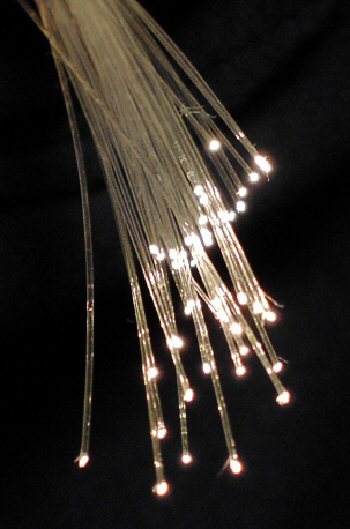
Fiber optic cables used in wide area networks (Source: Wikimedia Commons (Computer network))
- Metropolitan Area Network (MAN): Spans a city or campus, used by universities to interconnect different departments.
- Wireless Networks: Use radio waves to connect devices without cables, common in hotels offering guest internet access.
- Virtual Private Network (VPN): Provides secure remote access to a network, essential for bank employees working remotely.
Benefits of Computer Networks
- Cost Efficiency: Sharing resources lowers operational costs for organizations like hospitals.
- Flexibility: Networks support various devices and applications, adapting to evolving business needs.
- Improved Communication: Email, video conferencing, and instant messaging facilitate coordination across departments.
- Data Integrity: Centralized security policies safeguard sensitive information in financial institutions.
- Remote Access: Employees can access systems remotely, enhancing work-life balance and operational continuity.
1.1.2 Types of network topologies
Network topology defines the layout pattern of devices and connections in a network. Understanding these topologies helps ICT Operators design networks that meet organizational needs for reliability and efficiency.
Bus Topology
- Structure: Devices connect to a single central cable known as the bus.
- Advantages: Simple to install and cost-effective for small networks, suitable for small retail shops.
- Disadvantages: A fault in the main cable disrupts the entire network, affecting offices like county health departments.
- Performance: Network performance degrades as more devices are added.
- Usage: Rarely used in modern networks due to limitations.
Star Topology
- Structure: All devices connect to a central hub or switch.
- Advantages: Easy to manage and isolate faults, ideal for university campuses.
- Disadvantages: The central device is a single point of failure.
- Performance: Provides better performance as each device has a dedicated connection.
- Usage: Common in office networks such as banks and SACCOs.
Ring Topology
- Structure: Devices connect in a circular fashion, with data traveling in one direction.
- Advantages: Data packets travel at high speed, suitable for controlled environments.
- Disadvantages: Failure of one device affects the entire network, problematic for hospitals requiring constant uptime.
- Performance: Can handle high traffic but less flexible.
- Usage: Used in some campus networks.
Mesh Topology
- Structure: Devices are interconnected with multiple paths.
- Advantages: Provides high redundancy and fault tolerance, critical for county government networks.
- Disadvantages: Complex and expensive to implement.
- Performance: Excellent reliability and performance.
- Usage: Used in mission-critical networks.
1.1.3 Types of network devices
Network devices facilitate communication between computers and manage data flow within a network. Selecting the appropriate devices ensures network stability and efficiency, especially in environments like hospitals and banks where uptime is crucial.
Routers
- Function: Connects different networks and routes data packets between them.
- Features: Provides IP address assignment via DHCP and firewall capabilities.
- Use Case: Used to connect a school's LAN to the internet.
- Importance: Enables communication between local and external networks.
- Example: Nairobi County government uses routers to link branch offices.
Switches
- Function: Connects multiple devices within a LAN, forwarding data to specific devices.
- Features: Operates at the data link layer, reduces collisions.
- Use Case: Connects computers in a hotel’s front office.
- Importance: Enhances network efficiency by managing traffic.
- Example: SACCO offices use switches to connect teller stations.
Hubs
- Function: Broadcasts data to all devices on a network segment.
- Features: Operates at the physical layer, less intelligent than switches.
- Use Case: Used in small networks with minimal traffic.
- Importance: Simple but inefficient for large networks.
- Example: Small retail shops sometimes use hubs for basic connectivity.
Network Interface Cards (NICs)
- Function: Enables a computer to connect to a network.
- Features: Can be wired or wireless.
- Use Case: Computers in an education institution require NICs for network access.
- Importance: Essential for network communication.
- Example: County hospitals equip workstations with NICs.
Modems
- Function: Converts digital data to analog for transmission over telephone lines and vice versa.
- Features: Supports internet connectivity.
- Use Case: Connects remote offices to the internet.
- Importance: Facilitates external network access.
- Example: Rural clinics use modems for internet connectivity.
1.1.4 Components of a computer network
A computer network comprises multiple components working together to enable communication and resource sharing. Understanding these components helps ICT Operators troubleshoot and optimize networks in various Kenyan institutions.
Nodes
- Definition: Devices such as computers, printers, and servers connected to the network.
- Role: Act as communication endpoints.
- Example: Staff computers in a university serve as nodes.
- Importance: Nodes are the primary users of network services.
- Variation: Can be fixed or mobile devices.
Transmission Media
- Definition: The physical pathway through which data travels.
- Types: Includes copper cables, fiber optics, and wireless signals.
- Example: County government offices use fiber optic cables for high-speed connections.
- Importance: Determines network speed and reliability.
- Considerations: Selection depends on distance and environment.
Network Interface Cards (NIC)
- Definition: Hardware that connects a device to the network.
- Role: Converts data to signals suitable for transmission.
- Example: Hospital workstations have NICs for LAN access.
- Importance: Essential for device-network communication.
- Variation: Different speeds and standards.
Switches and Routers
- Definition: Devices that manage data flow within and between networks.
- Roles: Switches connect devices locally; routers connect different networks.
- Example: A bank uses switches for internal connections and routers for internet access.
- Importance: Critical for efficient network operation.
- Features: Include security and traffic management.
Network Protocols
- Definition: Sets of rules governing data transmission.
- Examples: TCP/IP, HTTP, FTP.
- Role: Ensure devices communicate effectively.
- Importance: Protocols enable interoperability.
- Example: Universities use TCP/IP for internet and intranet communication.
1.1.5 Types of network tools
Network tools assist ICT Operators in installing, testing, and maintaining network infrastructure. Familiarity with these tools is vital for accurate cable termination and troubleshooting in Kenyan workplaces.
| Name |
Specification |
Use |
| Cable Crimper |
Compatible with RJ45 connectors |
Used to attach connectors to cables |
| Cable Tester |
Supports testing of Ethernet cables |
Verifies cable continuity and wiring correctness |
| Punch Down Tool |
Compatible with 110 and Krone blocks |
Used to insert wires into patch panels and keystone jacks |
| Wire Stripper |
Adjustable for various cable gauges |
Removes insulation without damaging wires |
| Toner Probe Kit |
Includes tone generator and probe |
Locates cables in walls and racks |
- Cable Crimper: Ensures secure attachment of RJ45 connectors on network cables, critical for data integrity in office LANs.
- Cable Tester: Detects wiring faults such as open circuits or shorts, used in hospitals to maintain network reliability.
- Punch Down Tool: Facilitates proper termination of wires on patch panels, common in university server rooms.
- Wire Stripper: Allows precise removal of cable insulation, preventing wire damage during termination.
- Toner Probe Kit: Helps identify and trace cables within complex wiring setups in county government offices.
1.1.6 Cable colour coding
Correct cable colour coding is essential for consistent network installation and maintenance. In Kenya, adherence to standards such as T568A and T568B ensures interoperability and reduces troubleshooting time in environments like banks and schools.
Purpose of Cable Colour Coding
- Standardization: Provides a uniform wiring scheme for installers and technicians.
- Error Reduction: Minimizes incorrect connections during installation.
- Troubleshooting: Simplifies fault identification and repair.
- Documentation: Facilitates accurate network diagrams.
- Safety: Prevents electrical hazards by distinguishing pairs.
Common Colour Codes
- T568A Standard: White/Green, Green, White/Orange, Blue, White/Blue, Orange, White/Brown, Brown.
- T568B Standard: White/Orange, Orange, White/Green, Blue, White/Blue, Green, White/Brown, Brown.
- Pairing: Colours are grouped in pairs for differential signaling.
- Usage: Both standards are acceptable, but consistency within a network is crucial.
- Selection: T568B is more common in Kenya’s commercial installations.
Application in Cable Termination
- Pin Assignment: Each wire colour corresponds to a specific pin in the RJ45 connector.
- Maintaining Pairs: Twisted wire pairs must be preserved to reduce crosstalk.
- Connector Orientation: Correct orientation ensures proper pin alignment.
- Documentation: Record the chosen standard for future reference.
- Verification: Use a cable tester to confirm correct wiring.
Practice Questions
- Explain five benefits of computer networks in Kenyan institutions. (10 marks)
- Describe the advantages and disadvantages of star topology in office networks. (10 marks)
- Identify and explain the functions of five network devices commonly used in banks. (10 marks)
- List and define five components of a computer network with examples from educational institutions. (10 marks)
- Name five network tools used by ICT Operators and describe their uses in cable termination. (10 marks)
- Explain the importance of cable colour coding and describe the differences between T568A and T568B standards. (10 marks)
The rest of this chapter
🔒Create a free account to open more of this chapter.
Free: practical guides, quick cards, workplace scenarios and more.
Create a free account 🔒1.2 Network Cable Trunking
In the practice of ICT network setup in Kenya, proper organization and protection of network cables is essential to ensure system reliability and safety. Network cable trunking provides a structured way to route cables neatly, preventing damage and reducing ha…
🔒1.3 Network Cable Termination
Network cable termination is a critical skill for ICT operators in Kenya, particularly given the growing demand for reliable and high-speed data communication in offices, hospitals, educational institutions, and government agencies. Proper termination ensures…
Chapter Summary
This chapter explored the foundational elements required for setting up a computer network, beginning with an overview of computer networks, including various network topologies and the devices that facilitate communication within these networks. The components that make up a computer network and the essential tools, such as those used for cable colour coding, were discussed to provide a clear understanding of network device selection. The concept of network cable trunking was introduced, explaining its purpose in organizing and protecting cables, followed by a detailed description of different types of cable trunking and the specific tools needed for installation, including measuring tapes, cable ties, and drills. The final section focused on network cable termination, defining the process and highlighting the critical tools involved, such as RJ45 connectors, crimping tools, wire strippers, and cable cutters. Together, these topics provide a comprehensive guide to the practical steps and equipment necessary for effective network cable management and termination. This knowledge is essential for ensuring reliable network connectivity and maintaining the physical infrastructure of computer networks.
Self-Assessment
🔒 PDFDownload this self-assessment, with answers
A. Written Assessment
- What is the primary function of a network switch in a computer network? (2 marks)
- Identify three common types of network topologies used in office environments. (3 marks)
🔒20 more in this section.
Chapter Examination Questions
🔒 PDFDownload these examination questions, with worked answers
SECTION A (40 Marks) - Answer ALL Questions
- Explain the role of a switch in a computer network and describe its importance in a county government office network setup. (4 marks)
- Differentiate between the bus and star network topologies, highlighting one advantage and one disadvantage of each. (4 marks)
🔒18 more in this section.
