
By the end of this chapter, you will be able to:
Mastering these maintenance skills will make you a reliable technician, ensuring automation and radio frequency systems run smoothly and safely in the real world.
Maintenance of electronic components is a critical skill for electronics engineering professionals working in Kenya’s dynamic industries such as telecommunications, manufacturing, and automation. Proper servicing of components ensures system reliability, reduces downtime, and extends equipment lifespan, directly impacting operational efficiency. This chapter focuses on core maintenance activities, emphasizing disassembly, cleaning, and reassembly techniques that preserve component integrity and functionality in complex automated and radio frequency systems.
Component servicing is fundamental to maintaining electronic systems, especially in environments where precision and uptime are paramount. Electronics engineers at institutions like county government offices or banks must routinely service components to avoid costly failures. This section breaks down the procedures and best practices involved in disassembling, cleaning, and reassembling electronic components safely and effectively.
Disassembly of electronic components requires careful planning and execution to prevent damage to sensitive parts and ensure efficient troubleshooting and repair. In Kenya’s electronics maintenance sector, technicians often encounter diverse devices from legacy systems in hospitals to modern automation controllers in manufacturing plants. Mastery of disassembly techniques facilitates fault diagnosis and component replacement.
Effective disassembly begins with a clear plan that outlines the sequence of operations and identifies necessary tools. Planning reduces the risk of damaging components and saves time during reassembly.
Electronic components, particularly semiconductors and RF modules, are vulnerable to electrostatic discharge (ESD) and mechanical stress. Proper handling techniques protect these parts during disassembly.
A systematic approach to disassembly minimizes errors and damage, especially in complex assemblies such as RF transceivers or PLC modules.
Cleaning electronic components is a vital maintenance activity that restores performance by removing dust, corrosion, and residues that interfere with electrical contacts. Kenyan engineering technicians working in environments such as county hospital equipment rooms or university labs must adopt cleaning methods that avoid damage and maintain component reliability.
Electronic devices accumulate contaminants over time from environmental dust, humidity, and operational residues, which can cause overheating or signal interference.
Selecting appropriate cleaning agents and tools is critical to avoid damaging sensitive components or leaving harmful residues.
Different components require tailored cleaning approaches depending on their sensitivity and structure.
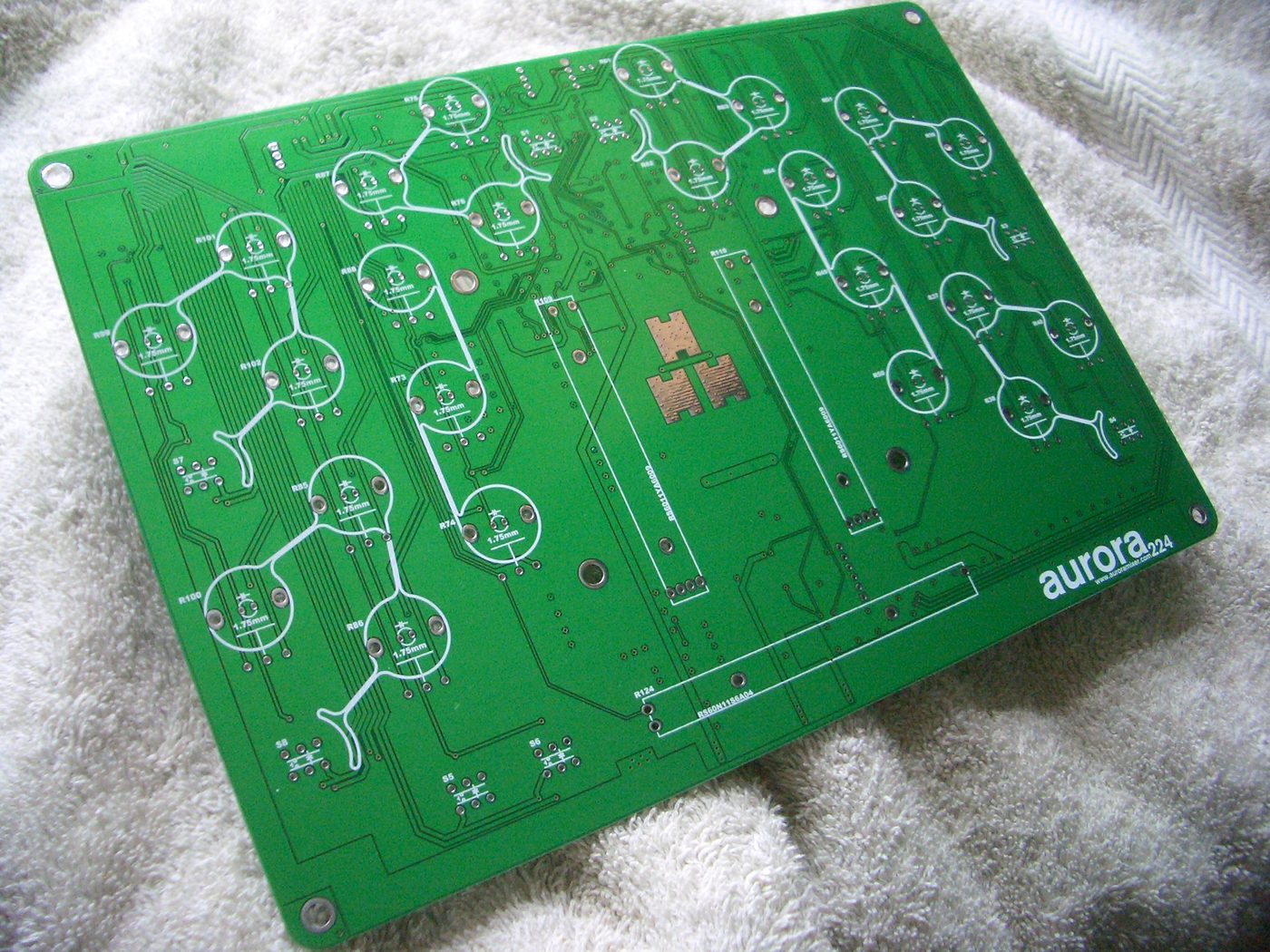
Green printed circuit board with electronic traces (Source: Wikimedia Commons)
Reassembly is a critical phase that restores the component’s operational integrity after maintenance. In Kenyan industrial settings such as banks’ data centres or manufacturing automation rooms, improper reassembly can lead to system faults or safety hazards. Following structured protocols ensures components are restored to their original specifications.
Before reassembling, technicians must verify all parts are clean, intact, and correctly oriented to prevent errors.
A methodical reassembly approach reduces the risk of component damage and operational faults.
Maintaining safety and quality standards during reassembly is essential to protect personnel and equipment.
Create a free account to open more of this chapter.
Free: practical guides, quick cards, workplace scenarios and more.
Create a free accountThis chapter covered essential maintenance activities for automation and radio frequency systems, starting with component service where disassembly techniques were outlined to ensure safe and effective access to internal parts. Cleaning procedures were emphasized to maintain optimal functionality, followed by reassembly protocols that preserve component integrity and alignment. The repair methods section detailed approaches for replacing through-hole components and handling surface-mount devices, highlighting precision and care during these delicate operations. Connector refurbishment focused on SMA and BNC contact polishing techniques, measuring insertion loss after servicing to verify performance, and confirming proper thread engagement to secure connections. Waste management practices were addressed with specific methods for disposing of printed circuit boards and recycling batteries, all within the framework of compliance with OSHA and environmental health and safety regulations. Together, these topics provide a comprehensive guide to maintaining system reliability while adhering to safety and environmental standards.
Type: Individual
| Tools & Equipment | Materials |
|---|---|
| Screwdrivers | Dry cells 1.5V |
| Side cutter | Cables (red and black) 1 mm² |
| Combination pliers | Soldering wire |
| Soldering gun | Equipment labels |
| Multimeter | |
| Phase tester |
| S/N | Item | Quantity |
|---|---|---|
| 1 | 8-watt 3V DC radio (1.5V x 2 dry cells) | 1 Pc per Candidate |
| 2 | Dry cells 1.5V | 2 Pcs per Candidate |
| 3 | Cables (red and black) 1 mm² | 1 meter per Candidate |
| 4 | Soldering gun | 1 Pc per Candidate |
| 5 | Soldering wire | 20 cm per Candidate |
| 6 | Multimeter | 1 Pc per Candidate |
| 7 | Equipment labels | 5 Pcs per Candidate |
| 8 | Phase tester | 1 Pc per Candidate |
| 9 | Combination pliers | 1 Pc per Candidate |
| 10 | Side cutter | 1 Pc per Candidate |
| 11 | Set of screwdrivers | 1 Set per Candidate |
| Items to be Evaluated | Marks Available | Marks Obtained | Comments |
|---|---|---|---|
| TASK 1: Preparation and PPE | |||
| Wore Personal Protective Equipment including dustcoat/overall (Award 1 mark if PPE worn properly, otherwise 0) | 1 | ||
| Ensured clean and organized working area before starting (Award 1 mark if area is clean and tidy, otherwise 0) | 1 | ||
| Sub-Total | 2 | ||
| TASK 2: Tools and Maintenance Checklist Preparation | |||
| Identified and correctly used side cutter, screwdrivers, pliers, soldering gun, multimeter, and phase tester (Award 1 mark each for correct identification and use, max 3) | 3 | ||
| Prepared maintenance checklist including equipment identification, inspection tasks, maintenance tasks, and list of tools and materials (Award 1 mark for equipment ID, 1 mark for inspection tasks, 1 mark for maintenance tasks, 2 marks for tools and materials listed) | 5 | ||
| Sub-Total | 8 | ||
| TASK 3: Disassembly and Component Service | |||
| Carefully disassembled radio casing without damage (Award 2 marks if casing is undamaged, otherwise 0) | 2 | ||
| Performed visual inspection of internal components (Award 3 marks if inspection is thorough, otherwise 0) | 3 | ||
| Cleaned radio components including speaker and circuit board (Award 3 marks if cleaning is effective, otherwise 0) | 3 | ||
| Identified and repaired speaker cable fault (Award 5 marks if fault identified and repaired correctly, otherwise 0) | 5 | ||
| Sub-Total | 13 | ||
| TASK 4: Testing and Verification | |||
| Performed continuity tests at different test points using multimeter (Award 5 marks if continuity test done correctly with positive results, otherwise 0) | 5 | ||
| Tested power input with phase tester and multimeter (Award 3 marks if power input verified correctly, otherwise 0) | 3 | ||
| Tested speaker output for correct operation (Award 3 marks if speaker output is verified correctly, otherwise 0) | 3 | ||
| Sub-Total | 11 | ||
| TASK 5: Maintenance Report Compilation | |||
| Documented equipment identification with names of equipment used (Award up to 2 marks if indicated, otherwise 0) | 2 | ||
| Included date and time of maintenance (Award 2 marks if indicated, otherwise 0) | 2 | ||
| Listed maintenance tasks performed (Award up to 3 marks if enumerated clearly, otherwise 0) | 3 | ||
| Included name and signature of maintenance personnel (Award up to 3 marks if indicated clearly, otherwise 0) | 3 | ||
| Listed tools and materials used (Award up to 2 marks if indicated, otherwise 0) | 2 | ||
| Provided observations and findings made during maintenance (Award up to 3 marks if included, otherwise 0) | 3 | ||
| Sub-Total | 15 | ||
| PRODUCT CHECKLIST | |||
| Radio casing reassembled correctly without damage or missing screws (Award 5 marks if reassembled properly, otherwise 0) | 5 | ||
| Speaker cable repaired with correct polarity and secure connections (Award 5 marks if repaired as specified, otherwise 0) | 5 | ||
| Continuity and power tests match specification (3V input, 8 watts output) (Award 5 marks if tests confirm correct operation, otherwise 0) | 5 | ||
| Sub-Total | 15 | ||
| GRAND TOTAL | 64 | ||
Type: Individual
| Tools & Equipment | Materials |
|---|---|
| Soft-bristle anti-static brush | Isopropyl alcohol (99%) |
| Compressed air canister | Lint-free cleaning cloths |
| Cotton swabs | Personal Protective Equipment (dustcoat/overall, gloves) |
| Multi-meter | |
| Screwdriver set |
| S/N | Item | Quantity |
|---|---|---|
| 1 | Isopropyl alcohol (99%) | 100 ml per Candidate |
| 2 | Soft-bristle anti-static brush | 1 Pc per Candidate |
| 3 | Lint-free cleaning cloths | 3 Pcs per Candidate |
| 4 | Compressed air canister | 1 Pc per Candidate |
| 5 | Cotton swabs | 10 Pcs per Candidate |
| 6 | Personal Protective Equipment (dustcoat/overall, gloves) | 1 Set per Candidate |
| 7 | Multi-meter | 1 Pc per Candidate |
| 8 | Circuit board with visible dust and corrosion | 1 Pc per Candidate |
| 9 | Screwdriver set | 1 Set per Candidate |
| Items to be Evaluated | Marks Available | Marks Obtained | Comments |
|---|---|---|---|
| TASK 1: Preparation and Safety | |||
| Wore Personal Protective Equipment (dustcoat/overall, gloves) (Award 1 mark if PPE correctly worn, otherwise 0) | 1 | ||
| Ensured clean and safe working area before starting (Award 1 mark if working area is clean and organized, otherwise 0) | 1 | ||
| Sub-Total | 2 | ||
| TASK 2: Inspection and Checklist Preparation | |||
| Inspected the circuit board visually for dust, dirt, corrosion, and damaged components (Award 2 marks if thorough inspection done, otherwise 0) | 2 | ||
| Prepared a maintenance checklist listing cleaning tasks and required tools/materials (Award 2 marks if checklist is complete and clear, otherwise 0) | 2 | ||
| Sub-Total | 4 | ||
| TASK 3: Cleaning Procedure | |||
| Used compressed air to remove loose dust and debris from the circuit board (Award 2 marks if compressed air applied correctly without damage, otherwise 0) | 2 | ||
| Applied isopropyl alcohol with cotton swabs and anti-static brush to clean corrosion and dirt (Award 3 marks if cleaning is thorough and careful, otherwise 0) | 3 | ||
| Used lint-free cloth to dry and polish the cleaned areas (Award 1 mark if drying done properly, otherwise 0) | 1 | ||
| Sub-Total | 6 | ||
| TASK 4: Post-cleaning Inspection and Testing | |||
| Performed visual inspection to confirm all dust and corrosion were removed (Award 2 marks if inspection confirms cleanliness, otherwise 0) | 2 | ||
| Tested circuit board continuity at key points using a multi-meter (Award 3 marks if continuity test done correctly and results recorded, otherwise 0) | 3 | ||
| Sub-Total | 5 | ||
| TASK 5: Maintenance Reporting | |||
| Documented equipment identification and cleaning date/time (Award 1 mark if documented correctly, otherwise 0) | 1 | ||
| Listed cleaning tasks performed with tools and materials used (Award 2 marks if detailed and complete, otherwise 0) | 2 | ||
| Recorded observations and findings post-cleaning (Award 1 mark if observations are clear, otherwise 0) | 1 | ||
| Signed the maintenance report (Award 1 mark if signed, otherwise 0) | 1 | ||
| Sub-Total | 5 | ||
| PRODUCT CHECKLIST | |||
| Circuit board is visibly clean with no dust, dirt, or corrosion present (Award 3 marks if board is clean and free from residues, otherwise 0) | 3 | ||
| Circuit board continuity test shows correct connections at specified test points (Award 5 marks if continuity is confirmed at all test points, otherwise 0) | 5 | ||
| Sub-Total | 8 | ||
| GRAND TOTAL | 30 | ||
At the start of this chapter we promised you would be able to:
Tick each one you can genuinely do.
So, are you there yet?
You're competent when you can confidently do 50% or more of what this chapter promised.
Sign in to record how you're doing.