Electronics Engineering  ·  Level 6
Power Supply Systems II
Chapter 2: Assemble Power Supply Prototypes
📚 5 Topics
⚑ What you will be able to do

By the end of this chapter, you will be able to:

  • Identify the right tools, equipment, and materials needed for assembling power supply prototypes.
  • Assemble tools, equipment, and materials correctly based on their specific functions.
  • Follow safety standards to assemble all components safely and confidently.
  • Use digital and analogue instruments accurately to ensure precise assembly.
  • Recognize printed circuit boards correctly according to the circuit design.
  • Troubleshoot assembly issues step-by-step by following established procedures.
  • Perform testing on power supply prototypes while strictly adhering to safety standards.

Mastering these skills will help you build reliable power supply systems that work safely and efficiently in real-world electrical trade environments.

Power supply prototype assembly is a critical skill for electronics engineering professionals in Kenya, particularly in industries such as telecommunications, medical devices, and consumer electronics manufacturing. This stage transforms design concepts into physical models that are tested and refined before mass production. Mastery of component assembly, safety protocols, and soldering techniques ensures reliability and functionality of prototypes, which is essential for meeting Kenya’s growing demand for high-quality electronic products.

2.1 Component Assembly Supply

Component assembly supply involves the preparation, handling, and integration of electronic components to build functional power supply prototypes. In Kenya’s electronics workshops and research labs, strict adherence to assembly procedures reduces failure rates and enhances product durability. This section addresses the safety protocols, workstation setup, component handling, and soldering techniques that underpin effective prototype assembly.

2.1.1 Safety Protocols: Prototypes

Safety protocols during prototype assembly protect the engineer, the components, and the environment. In Kenyan electronics labs, these protocols prevent accidents and minimize damage to sensitive parts, which can be costly to replace.

Personal Protective Equipment (PPE) Use

  • Eye Protection: Safety glasses or goggles shield against solder splashes and flying debris during assembly.
  • Gloves: Anti-static gloves prevent contamination and protect from sharp component leads.

Pair of yellow work gloves used in carpentry
Pair of yellow work gloves used in carpentry (Source: Wikimedia Commons)
  • Protective Clothing: Lab coats or aprons reduce risk of burns or chemical exposure from flux and solvents.
  • Proper Footwear: Closed shoes prevent injuries from dropped tools or components.
  • Ventilation Masks: Masks filter out smoke and fumes generated by soldering, protecting respiratory health.

Electrical Safety Measures

  • Power Isolation: Disconnect power sources before assembling or modifying circuits to prevent shocks.
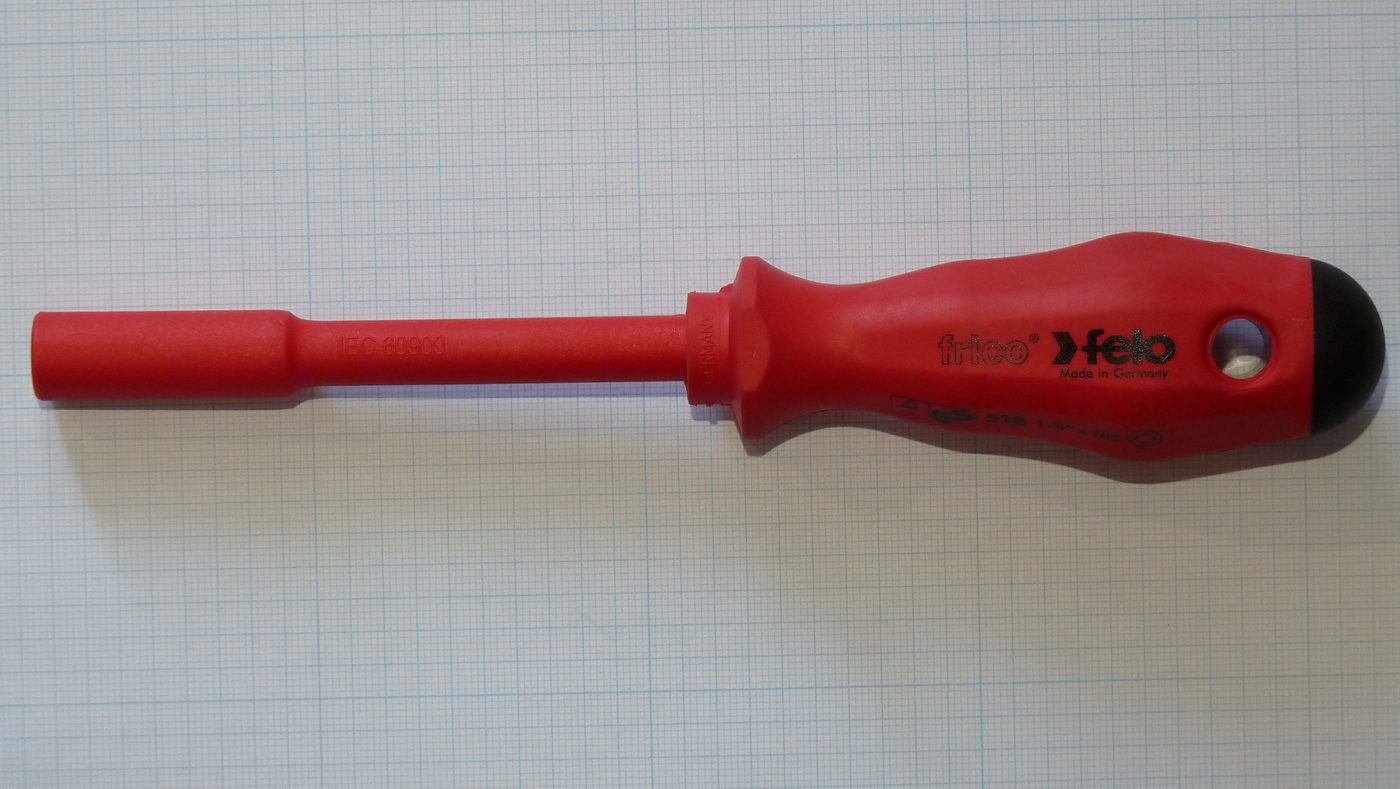
  • Insulated Tools: Use tools with insulated handles to avoid accidental electrical contact.

Red insulated screwdriver for electrical work
Red insulated screwdriver for electrical work (Source: Wikimedia Commons)

  • Circuit Testing Precautions: Verify all connections with a multimeter before powering the prototype.
  • Avoid Overloading: Ensure components are rated for the prototype’s voltage and current to prevent overheating.
  • Emergency Procedures: Have fire extinguishers and first aid kits accessible in the workshop.

Workspace Organization

  • Clutter-Free Areas: Maintain tidy workbenches to avoid accidental short circuits.
  • Component Storage: Use labelled containers to store parts by type and rating, reducing mix-ups.
  • Clear Marking: Mark hazardous areas or components to alert colleagues during collaborative work.
  • Tool Management: Return tools to designated places after use to prevent accidents.
  • Waste Disposal: Properly discard solder waste and damaged components to avoid contamination.

Training and Compliance

  • Regular Safety Training: Conduct workshops on prototype assembly hazards and protocols.
  • Compliance with Standards: Follow Kenyan occupational safety guidelines and international electronics safety norms.
  • Incident Reporting: Encourage reporting of near misses to improve safety measures.
  • Documentation: Maintain records of safety checks and equipment maintenance.
  • Supervision: Experienced supervisors should oversee novice assemblers to enforce safety.

2.1.2 Use of Grounded Workstations and Wrist Straps (ANSI/ESD S20.20)

Electrostatic discharge (ESD) can irreversibly damage sensitive electronic components during prototype assembly. Grounded workstations and wrist straps are fundamental controls to mitigate this risk, widely adopted in Kenya’s electronics manufacturing and repair sectors.

Principles of ESD Control

  • Static Electricity Generation: Movement of personnel and materials generates static charges that can discharge into components.
  • Damage Mechanisms: ESD causes latent or immediate failure by puncturing internal semiconductor junctions.
  • Sensitive Components: ICs, MOSFETs, and CMOS devices are particularly vulnerable.
  • Controlled Environment: Maintaining a low static environment reduces component failures.
  • Standards Compliance: ANSI/ESD S20.20 provides guidelines for ESD control programs.

Grounded Workstation Setup

Name Specification Use
ESD Mat Conductive rubber or vinyl mat Dissipates static from work surface
Grounding Cord 1 megohm resistor in cord Connects mat to earth ground
Workbench Non-conductive material frame Supports mat and equipment
  • Place the ESD mat on the workbench surface.
  • Connect the grounding cord from the mat to a verified earth ground point.
  • Position components and tools on the mat during assembly to prevent charge buildup.

Wrist Strap Usage

Name Specification Use
ESD Wrist Strap Adjustable band with 1 megohm resistor Grounds operator to prevent static buildup
  • Wear the wrist strap snugly on the wrist.
  • Attach the grounding cord clip to the wrist strap and connect to the grounded workstation.
  • Regularly check strap and cord continuity using an ESD tester.
  • Replace worn or damaged straps immediately to maintain protection.

Monitoring and Maintenance

  • Periodic Testing: Use ESD testers daily to verify grounding integrity.
  • Environmental Controls: Maintain humidity levels between 40-60% to reduce static generation.
  • Training: Educate staff on correct use of ESD equipment.
  • Equipment Replacement: Replace mats and cords every 2-3 years or upon damage.
  • Documentation: Keep logs of ESD control checks as part of quality assurance.

2.1.3 Handling guidelines for moisture-sensitive components (IPC/JEDEC J-STD-033)

Moisture-sensitive components (MSCs) such as certain ICs and semiconductors absorb moisture from the environment, which can cause damage during soldering. Kenyan electronics engineers must follow international moisture control standards to ensure prototype integrity.

Identification of Moisture-Sensitive Components

  • Moisture Sensitivity Level (MSL): Components are classified from level 1 (least sensitive) to level 6 (most sensitive).
  • Packaging Labels: MSCs arrive in sealed moisture barrier bags (MBB) with humidity indicator cards.
  • Common MSCs: Ball Grid Arrays (BGAs), Quad Flat No-leads (QFNs), and plastic encapsulated devices.
  • Absorption Risks: Moisture causes popcorn cracking or delamination during reflow soldering.
  • Inventory Management: Track MSL and shelf life to avoid using expired components.

Proper Storage Techniques

  • Sealed Moisture Barrier Bags: Keep MSCs in original MBB until use.
  • Dry Cabinets: Store components in low-humidity cabinets set at <10% RH.
  • Desiccant Packs: Use silica gel to absorb moisture inside storage packages.

  • Humidity Indicator Cards: Monitor moisture levels inside packaging regularly.
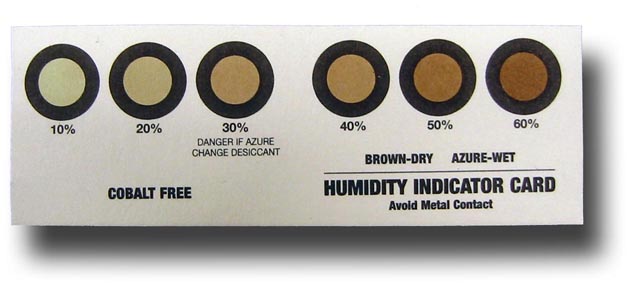
Humidity indicator card showing moisture levels
Humidity indicator card showing moisture levels (Source: Wikimedia Commons)

  • Limited Exposure: Minimize time MSCs are exposed to ambient air during assembly.

Baking Procedures for Moisture Removal

  • Trigger for Baking: Bake components if exposure to ambient humidity exceeds allowable floor life.
  • Baking Temperature: Typically 125°C for 8-24 hours depending on MSL.
  • Oven Use: Use dedicated moisture bake ovens with accurate temperature control.
  • Post-Bake Handling: Immediately reseal components in dry packaging after baking.
  • Documentation: Record baking cycles and durations for traceability.

Handling During Assembly

  • Floor Life Tracking: Monitor and record the duration MSCs are out of dry storage.
  • Minimize Exposure: Open packaging only when ready to assemble the component.
  • Use Protective Covers: Employ humidity-resistant work covers when not actively assembling.
  • Reflow Profile Compliance: Use recommended soldering profiles to prevent thermal shock.
  • Training: Educate assembly staff on moisture sensitivity risks and handling requirements.

2.1.4 Soldering Techniques

Soldering is the cornerstone of prototype assembly, ensuring electrical connectivity and mechanical stability. Kenyan electronics engineers must master various soldering methods to produce reliable power supply prototypes.

Types of Soldering Methods

  • Hand Soldering: Uses a soldering iron to manually join components; ideal for prototypes and repairs.
  • Wave Soldering: Automated method for through-hole components; less common in small-scale prototyping.
  • Reflow Soldering: Uses controlled heat to melt solder paste on surface mount assemblies.
  • Hot Air Soldering: Employs heated airflow for precision soldering or rework of SMDs.
  • Laser Soldering: Advanced technique offering precision in high-density assemblies.

Solder Materials and Fluxes

Name Specification Use
Lead-Free Solder Tin-Silver-Copper alloy (SnAgCu) Environmentally compliant joints
Rosin Flux Mildly activated flux Removes oxides during soldering
No-Clean Flux Flux residue does not require cleaning Suitable for sensitive circuits
Water-Soluble Flux Requires post-solder cleaning Provides strong oxide removal
Paste Solder Solder in paste form for reflow Used in surface mount assembly
  • Lead-free solder is preferred in Kenya to comply with environmental regulations.
  • Flux promotes wetting and joint quality by removing oxides from metal surfaces.
  • Selection depends on prototype sensitivity and cleaning capabilities.

Hand Soldering Best Practices

  • Temperature Control: Use soldering irons with adjustable temperature (350-400°C for lead-free).
  • Tip Selection: Use chisel tips for general work and fine tips for delicate joints.
  • Pre-Tinning: Apply solder to the iron tip before joining components to improve heat transfer.
  • Joint Inspection: Ensure shiny, smooth solder joints with proper fillets and no cold joints.
  • Cleaning: Use isopropyl alcohol and brushes to remove flux residues after soldering.

Soldering Defects and Remedies

  • Cold Joints: Caused by insufficient heat; reheat and apply fresh solder.
  • Bridging: Excess solder creates shorts; remove with solder wick or desoldering pump.
  • Component Damage: Excessive heat damages parts; reduce temperature and exposure time.
  • Insufficient Wetting: Poor adhesion; clean pads and use appropriate flux.
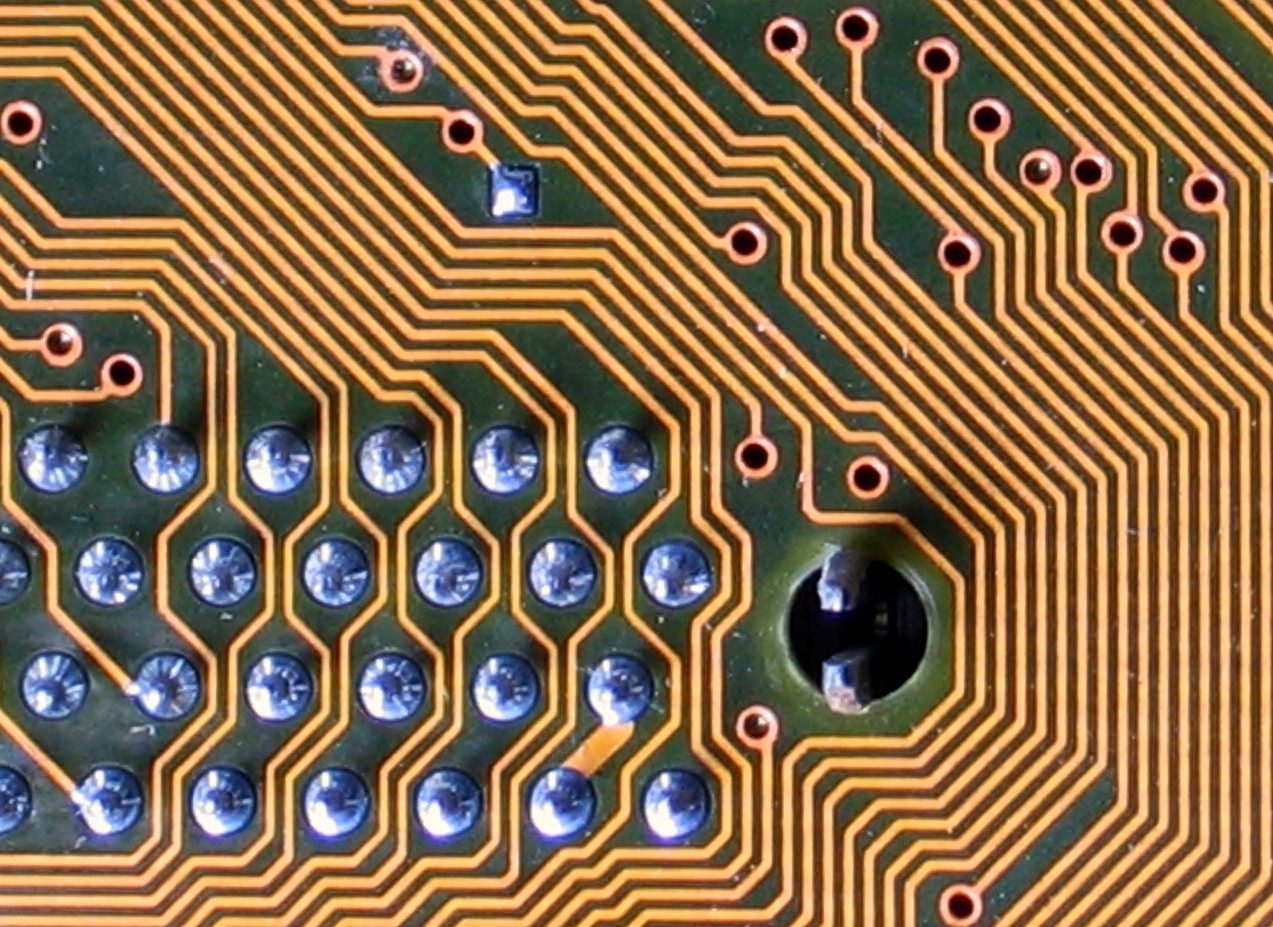
  • Solder Balls: Tiny solder spheres; clean workspace and adjust soldering parameters.

Close-up of solder balls on a circuit board
Close-up of solder balls on a circuit board (Source: Wikimedia Commons)

Practice Questions

  1. Explain five key safety protocols that must be observed during the assembly of power supply prototypes. (10 marks)
  2. Describe how grounded workstations and wrist straps prevent electrostatic discharge damage in electronic assembly. (10 marks)
  3. List and explain five handling guidelines for moisture-sensitive components following IPC/JEDEC J-STD-033 standards. (10 marks)
  4. Compare and contrast at least three soldering techniques used in prototype assembly, including their suitability for different component types. (10 marks)
The rest of this chapter
🔒

Create a free account to open more of this chapter.

Free: practical guides, quick cards, workplace scenarios and more.

Create a free account
🔒2.2 Input/Output Testing

Input/output testing is a critical phase in assembling power supply prototypes, especially for electronics engineers working in Kenya's thriving technology and manufacturing sectors. This process verifies that the power supply meets design specifications and s…

🔒2.3 Stability Diagnostics

In the development and testing of power supply prototypes, stability diagnostics are essential to ensure reliable and safe operation. In Kenya's electronics engineering sector, from university laboratories to tech firms in Nairobi and Mombasa, diagnosing stabi…

🔒2.4 EMI Mitigation

In electronics engineering, electromagnetic interference (EMI) poses a critical challenge to the reliable operation of power supply systems. In Kenya, electronics engineers working on prototype assemblies for medical equipment at Kenyatta National Hospital or…

🔒2.5 Compliance Validation

Compliance validation is a critical phase in assembling power supply prototypes, ensuring that the design and manufacturing processes meet international standards and regulatory requirements. For electronics engineering professionals in Kenya, adherence to the…

Chapter Summary

This chapter focused on the assembly of power supply prototypes, emphasizing the importance of adhering to safety protocols, including the use of grounded workstations and wrist straps to prevent electrostatic discharge, as well as proper handling of moisture-sensitive components. It covered essential soldering techniques critical for reliable assembly. The chapter then addressed input and output testing, highlighting compliance with IEC 61000-4-11 standards through voltage dip and surge immunity tests, alongside evaluating performance metrics like load regulation and efficiency. Stability diagnostics were explored through loop stability testing, detection of parasitic oscillations, and the use of oscilloscopes and spectrum analyzers for accurate signal analysis. Methods for mitigating electromagnetic interference were discussed, including conducted and radiated EMI, near-field probing, and validation of shielding effectiveness. Finally, the chapter examined compliance validation processes involving safety standards such as IEC/EN 62368, measurements of creepage and clearance, fault condition testing, and electromagnetic compatibility requirements including CISPR 32 and harmonic current emissions.

Self-Assessment

🔒 PDFDownload this self-assessment, with answers

A. Written Assessment

  1. What is the primary purpose of using grounded workstations and wrist straps according to ANSI/ESD S20.20? (2 marks)
  2. Explain the significance of IPC/JEDEC J-STD-033 in handling moisture-sensitive components during prototype assembly. (3 marks)
🔒20 more in this section.

Chapter Examination Questions

🔒 PDFDownload these examination questions, with worked answers

SECTION A (40 Marks) - Answer ALL Questions

  1. Explain the importance of using grounded workstations and wrist straps according to ANSI/ESD S20.20 when assembling power supply prototypes at a Nairobi-based electronics manufacturing company. (4 marks)
  2. Describe the handling procedures for moisture-sensitive components following IPC/JEDEC J-STD-033 standards. (4 marks)
🔒18 more in this section.

Chapter Practical Activities

Practical 1: Assemble a Power Supply Prototype with Safety Compliance

Electronics Engineering · Level 6
Power Supply Systems II
PRACTICAL ASSESSMENT
TIME: 4 HOURS
⬇ PDFCandidate Instructions (Candidate Tool)

Type: Individual

INSTRUCTIONS TO CANDIDATE:
1.  You are required to perform the following task:
i.  Assemble a power supply prototype on a 150mm x 70mm copper stripboard, ensuring correct component placement and adherence to ESD safety protocols as per IPC/JEDEC J-STD-033.
2.  You have been provided with the following resources for the practical task:
Tools & EquipmentMaterials
Soldering iron 30W with standMoisture-sensitive IC package (e.g. CMOS 555 Timer)
Desoldering pumpResistor 10 kΩ 1/4 watt
Side cutterCapacitor 100 µF 25V electrolytic
Long nose pliersDiode 1N4007
Multimeter digitalCopper stripboard 15 cm x 7 cm
ESD Grounded wrist strapSolder wire (60/40 leaded)
ESD Grounded work mat 450 mm x 300 mmJumper wires assorted colours
Moisture barrier bag for components
⬇ PDFResources Required (Cutting List)
S/NItemQuantity
1Moisture-sensitive IC package (e.g. CMOS 555 Timer)1 Pc per Candidate
2Resistor 10 kΩ 1/4 watt4 Pcs per Candidate
3Capacitor 100 µF 25V electrolytic2 Pcs per Candidate
4Diode 1N40072 Pcs per Candidate
5Copper stripboard 15 cm x 7 cm1 Pc per Candidate
6Solder wire (60/40 leaded)20 cm per Candidate
7Soldering iron 30W with stand1 Pc per Candidate
8Desoldering pump1 Pc per Candidate
9Jumper wires assorted coloursEnough per Candidate
10ESD Grounded wrist strap1 Pc per Candidate
11ESD Grounded work mat 450 mm x 300 mm1 Pc per Candidate
12Moisture barrier bag for components1 Pc per Candidate
13Side cutter1 Pc per Candidate
14Long nose pliers1 Pc per Candidate
15Multimeter digital1 Pc per Candidate
16A4 plain paper1 Sheet per Candidate
17Pen and pencil1 Set per Candidate
⬇ PDFAssessor Guide
Items to be EvaluatedMarks AvailableMarks ObtainedComments
TASK 1: Safety Setup and Component Handling
Wore ESD grounded wrist strap correctly
(Award 2 marks if wrist strap is worn and grounded properly, otherwise 0)
2
Used grounded ESD work mat for assembly
(Award 2 marks if work mat is used correctly, otherwise 0)
2
Handled moisture-sensitive components following IPC/JEDEC J-STD-033 guidelines
(Award 3 marks for correct handling including removal from moisture barrier bag just before use, otherwise 0)
3
Applied proper housekeeping: clean workstation, no clutter
(Award 1 mark for maintaining clean and safe work area, otherwise 0)
1
Sub-Total8
TASK 2: Component Assembly
Identified and placed at least four components correctly on the stripboard
(Award 2 marks each for correct placement of 4 components, otherwise 0)
8
Fixed components firmly and level on the stripboard
(Award 2 marks each for four components mounted firmly and level, otherwise 0)
8
Soldered joints are shiny, smooth, clean with concave fillet
(Award 2 marks each for four quality solder joints, otherwise 0)
8
Trimmed excess leads after soldering
(Award 1 mark each for trimming leads on four components, otherwise 0)
4
Sub-Total28
TASK 3: Testing and Verification
Powered the prototype safely using 12V DC supply
(Award 2 marks if powered safely and correctly, otherwise 0)
2
Measured output voltage at designated test points with multimeter
(Award 4 marks if output voltage matches expected ±5%, otherwise 0)
4
Verified circuit functionality as per prototype design
(Award 6 marks if circuit operates correctly, otherwise 0)
6
Sub-Total12
TASK 4: Documentation and Clean-up
Wrote a test report including title, objectives, observations, and conclusion
(Award 1 mark for title, 1 for objectives, 1 for observations, 1 for conclusion)
4
De-soldered components and cleaned workstation
(Award 2 marks if components de-soldered properly and area cleaned, otherwise 0)
2
Sub-Total6
PRODUCT CHECKLIST
Prototype assembly on 150mm x 70mm stripboard with correct component layout and spacing
(Award 5 marks if layout matches design and components are spaced correctly, otherwise 0)
5
Solder joints meet quality standards (shiny, smooth, clean, concave fillet)
(Award 5 marks if all solder joints meet quality standards, otherwise 0)
5
Output voltage within ±5% of expected value
(Award 5 marks for voltage within tolerance, otherwise 0)
5
Sub-Total15
GRAND TOTAL69
ASSESSMENT OUTCOME:   ☐ Competent    ☐ Not Yet Competent (competent if at least 50%)

Practical 2: Soldering of Electronic Components on Prototype Stripboard

Electronics Engineering · Level 6
Power Supply Systems II
PRACTICAL ASSESSMENT
TIME: 4 HOURS
⬇ PDFCandidate Instructions (Candidate Tool)

Type: Individual

INSTRUCTIONS TO CANDIDATE:
1.  You are required to perform the following task:
i.  Solder and assemble the power supply prototype on a 145mm x 65mm copper stripboard.
2.  You have been provided with the following resources for the practical task:
Tools & EquipmentMaterials
Soldering Iron 30W with standCopper Stripboard 14.5cm x 6.5cm
Desoldering PumpFixed Resistor 10 kΩ 1/4 Watt
Side CutterFixed Resistor 1 kΩ 1/4 Watt
Long Nose PliersVariable Resistor 10 kΩ
Multimeter DigitalDiode BY127
Thyristor OE-101
Solder Wire 0.7mm diameter
Jumper Wires assorted colours
A4 Plain Paper
Stationery (Pen, Pencil, Eraser)
⬇ PDFResources Required (Cutting List)
S/NItemQuantity
1Copper Stripboard 14.5cm x 6.5cm1 Pc per Candidate
2Fixed Resistor 10 kΩ 1/4 Watt1 Pc per Candidate
3Fixed Resistor 1 kΩ 1/4 Watt1 Pc per Candidate
4Variable Resistor 10 kΩ1 Pc per Candidate
5Diode BY1271 Pc per Candidate
6Thyristor OE-1011 Pc per Candidate
7Solder Wire 0.7mm diameter20 cm per Candidate
8Soldering Iron 30W with stand1 Pc per Candidate
9Desoldering Pump1 Pc per Candidate
10Jumper Wires assorted colours50 cm per Candidate
11Side Cutter1 Pc per Candidate
12Long Nose Pliers1 Pc per Candidate
13Multimeter Digital1 Pc per Candidate
14A4 Plain Paper1 Sheet per Candidate
15Stationery (Pen, Pencil, Eraser)Assorted per Candidate
⬇ PDFAssessor Guide
Items to be EvaluatedMarks AvailableMarks ObtainedComments
TASK 1: Safety and Preparation
Wore Personal Protective Equipment including safety boots and dustcoat
(Award 2 marks if PPE worn correctly, otherwise 0)
2
Ensured clean and organized workstation before commencing soldering
(Award 2 marks for good housekeeping, otherwise 0)
2
Sub-Total4
TASK 2: Component Identification and Mounting
Correctly identified and selected at least four electronic components as per schematic
(Award 2 marks per correctly identified component x 4)
8
Mounted components firmly and level on the stripboard
(Award 2 marks per properly mounted component x 4)
8
Sub-Total16
TASK 3: Soldering Quality and Connections
Achieved quality solder joints that are shiny, smooth, and with concave fillet
(Award 2 marks per quality joint x 4)
8
Made correct electrical connections on at least four components and trimmed long terminals
(Award 1 mark per correct connection and trim x 4)
4
Sub-Total12
TASK 4: Testing and Troubleshooting
Tested circuit with multimeter for continuity and correct voltage readings
(Award full 4 marks for correct testing and readings, otherwise 0)
4
Demonstrated ability to desolder and re-solder components without damage
(Award full 4 marks if done correctly, otherwise 0)
4
Sub-Total8
TASK 5: Reporting
Prepared a clear report including title, introduction, objectives, observations, and conclusion
(Award marks as follows: Title 1, Introduction 2, Objectives 1, Conclusion 1)
5
Sub-Total5
PRODUCT CHECKLIST
Soldered prototype matches schematic layout and dimensions 145mm x 65mm with neat component placement
(Award 5 marks if layout and dimensions are correct and neat, otherwise 0)
5
All solder joints are clean, shiny, and secure with no cold joints or bridges
(Award 5 marks for quality of solder joints, otherwise 0)
5
No damage to stripboard or components, and all trimmed leads are flush
(Award 5 marks if no damage and leads trimmed neatly, otherwise 0)
5
Sub-Total15
GRAND TOTAL60
ASSESSMENT OUTCOME:   ☐ Competent    ☐ Not Yet Competent (competent if at least 50%)
🔒

Free: practical guides, quick cards, workplace scenarios and more.

Create a free account
🔒Input and Output Functional Testing of Power Supply PrototypePractical 3
🔒Voltage Dip/Sag and Surge Immunity Testing of Power Supply PrototypePractical 4
🔒Load Regulation and Efficiency Measurement of a Power Supply PrototypePractical 5
🔒Stability Diagnostics and Loop Stability Testing of a Power Supply PrototypePractical 6
🔒Parasitic Oscillation Identification in Power Supply PrototypePractical 7
🔒Demonstrate Oscilloscope Probing Techniques on a Power Supply PrototypePractical 8
🔒Configure Spectrum Analyzer for Conducted Noise MeasurementPractical 9
🔒Conducted EMI Measurement on Power Supply Prototype Using LISNPractical 10
🔒Design and Assemble an EMI Filter Prototype Using Common-Mode Chokes and X/Y CapacitorsPractical 11
🔒Radiated EMI Detection and Analysis Using Near-Field Probes on a Power Supply PrototypePractical 12
🔒Shielding Effectiveness Validation of Power Supply PrototypePractical 13
🔒Safety Compliance and Creepage/Clearance Measurements on Power Supply PrototypePractical 14
🔒Fault Simulation and Protective Response Testing of Power Supply PrototypePractical 15
Flashcards 19 cards Study deck ▾
Question
1

↻ Tap card to reveal answer
🔒

17 more in this section.

Create a free account
Test Yourself 19 questions Start quiz ▾
0%
0 / 2
🔒

17 more in this section.

Create a free account
Am I competent?

At the start of this chapter we promised you would be able to:

  • Identify the right tools, equipment, and materials needed for assembling power supply prototypes.
  • Assemble tools, equipment, and materials correctly based on their specific functions.
  • Follow safety standards to assemble all components safely and confidently.
  • Use digital and analogue instruments accurately to ensure precise assembly.
  • Recognize printed circuit boards correctly according to the circuit design.
  • Troubleshoot assembly issues step-by-step by following established procedures.
  • Perform testing on power supply prototypes while strictly adhering to safety standards.

Tick each one you can genuinely do.

So, are you there yet?

You're competent when you can confidently do 50% or more of what this chapter promised.

Sign in to record how you're doing.